Ask a group of children a math question out loud and you usually hear one answer: the fastest one. Everyone else stops thinking the moment it lands. The quick child gets the practice, and the careful child gets to listen.
Party mode is our answer to that. It is a short math quiz that one person hosts from a phone. The question goes up on a big screen, and every player answers on their own phone or tablet, so everyone thinks before anyone hears the answer. We built it for family quiz nights, and it works just as well for a tutor with a small group, a review lesson, or one child and one adult at the kitchen table.
What Party mode does
- One host, many players. A parent or tutor with a Family Max account hosts from a phone, and a parent on an active free trial can host too. Pick a level from Primary 1 to Secondary 4, choose topics and open a room.
- No accounts for players. Players join with a five-character room code or by scanning a QR code. There is no sign-up and no app to install, and we never ask for a name: each player gets a random nickname, an adjective and an animal, with a chalk drawing of the animal beside it. A room holds up to 20 phones.
- A big screen if you have one. Put the room on a TV, laptop or tablet for everyone to watch. The question, any diagram and the hints also show on each player's phone, so a big screen is a welcome extra, not a requirement.
- Calm scoring. Each correct answer earns one point. There is no timer and no speed bonus. You see the answer privately on your phone; the big screen and the players' phones show it only after you tap Reveal.
- Nothing kept. Scores belong to the game and are never added to anyone's account. Closing the room deletes its data, an idle room expires after one hour, and no game history is stored.
How to run a review everyone joins in
A good group review is less about the questions and more about the routine around them. Here is the one we designed Party mode around.
Everyone answers before anyone talks. When each player commits to an answer first, every child does the thinking, not only the quickest. Players can change their answer until you reveal, so there is room to check. Wait until everyone has answered, then reveal.
Make the reveal the lesson. Ask a player who got it right to explain how. Then ask someone with a different answer what they did. A wrong answer with clear working shows exactly where the thinking slipped, and fixing it together is the best practice in the room. Praise the explanation, not the speed.
Hint before you tell. If the room is stuck, give one step of the method and let everyone try again before you give the answer. A hint that starts the thinking teaches more than an answer that ends it.
Pair up for mixed abilities. Two players on one phone means the younger or less confident one talks it through with a partner instead of sitting out. Pairs also let a bigger group share the 20 phones.
Keep rounds short. Five or ten questions is enough for one sitting. Stop while it is still fun, and play another round later.
What a good reveal sounds like
Say the question on the screen is a Primary 4 one: a ribbon 3 m long is cut into 4 equal pieces; how long is each piece in centimetres?
Most phones show 75. One shows 0.75.
Start with a 75: "How did you get it?" The player converts first, 3 m = 300 cm, then divides, 300 ÷ 4 = 75, so each piece is 75 cm.
Now the 0.75. Ask the player to talk you through it, and you hear 3 ÷ 4 = 0.75. That is a correct division. The answer is in metres, though, and the question asked for centimetres. Right method, wrong unit, and 0.75 m is the same length as 75 cm. That one answer gives the whole group a reminder to read what the question asks for, which no answer key could.
Three ways to use Party mode
Family parties and quiz nights
Cousins are over, a grandparent shares a phone with the youngest player, and the question is up on the TV. At the end, the big screen shows a podium for the top three places, ties included, and a tally of the points everyone scored together.
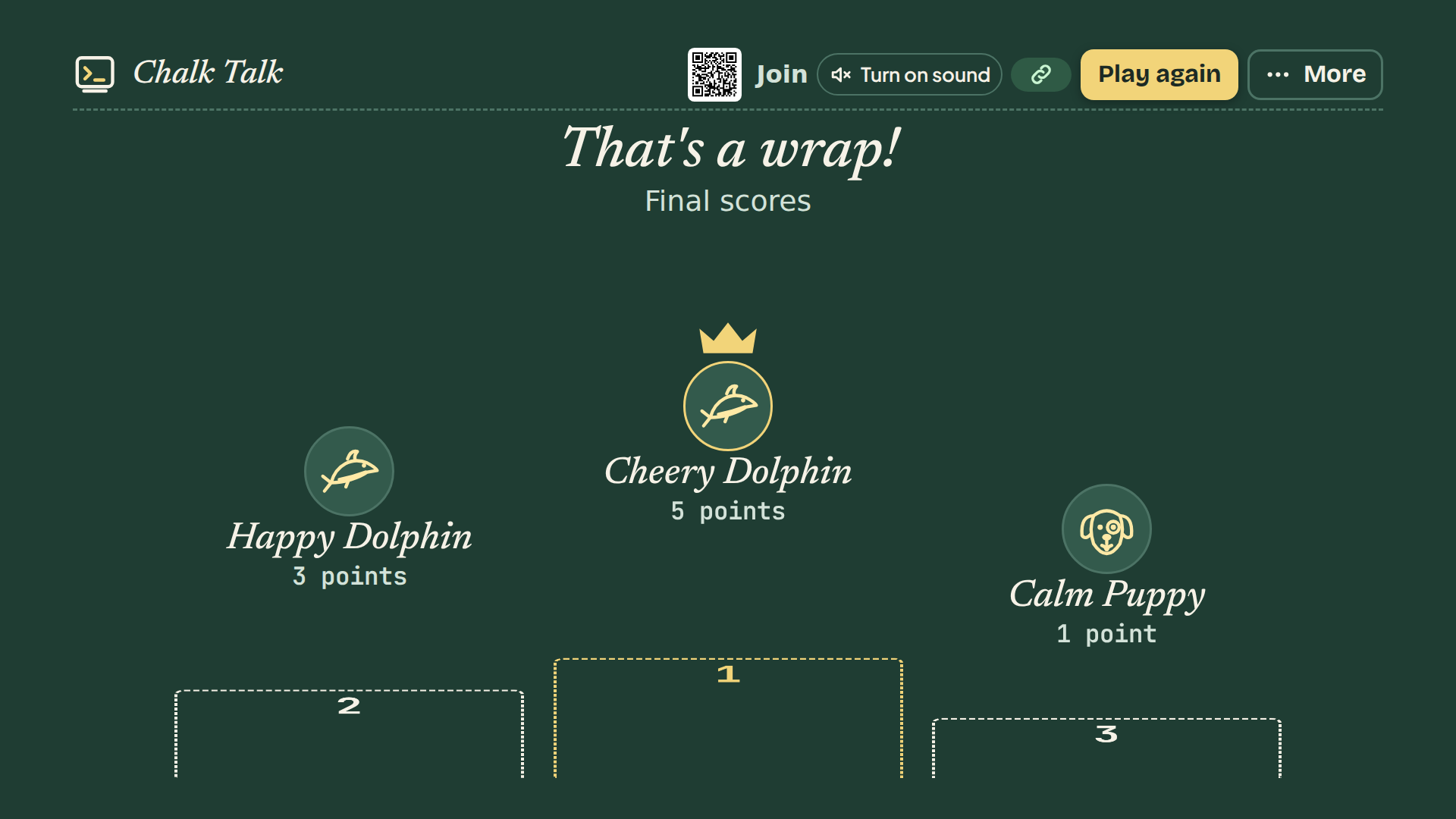
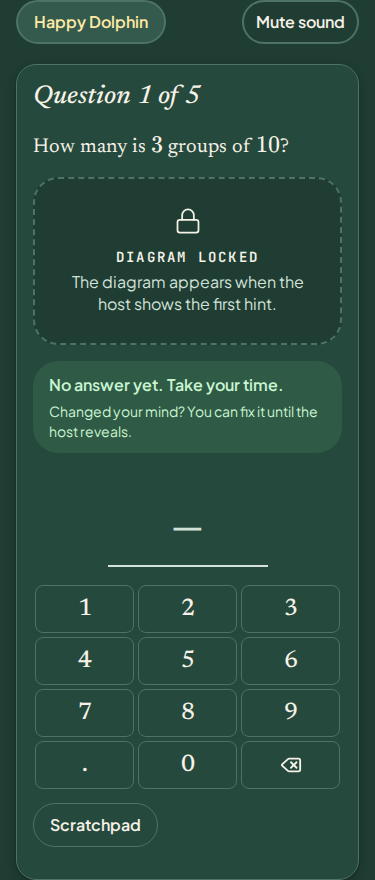
When one game ends, tap Play again to start another in the same room. You can switch the level or topics first. Players see "The host started a new game. Play again?" and rejoin with one tap, keeping their nicknames.
Group lessons and reviews
For a tutor with a small group, or a teacher running a review with a few students, your phone becomes a teaching console:
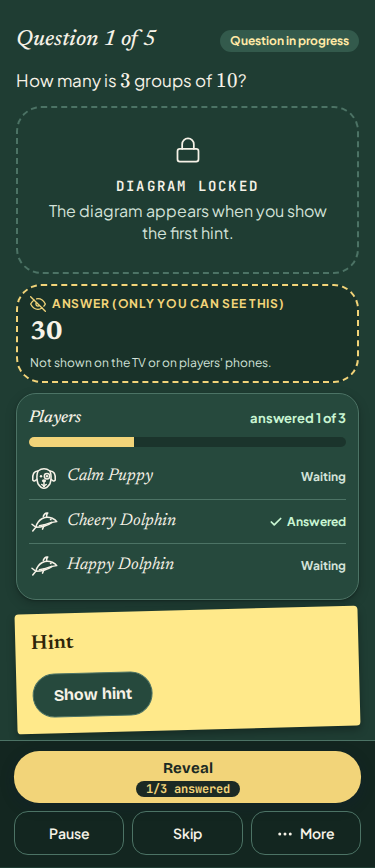
- The answer, for you only. While a question is open, your phone shows it under "Answer (only you can see this)", so you can check working at a glance.
- Who is still thinking. The Reveal button shows how many players have answered, for example "3/5 answered", and changes to "Reveal — everyone answered" once all are in. It never reveals on its own.
- Pause. Stop new answers while you talk something through, then resume.
- Step-by-step hints. When a question has a hint, Show hint reveals it one step at a time on the big screen and every phone. The last step asks you to confirm, because it may give the answer away.
- Skip, remove, end early. Pass on a question, remove a player, or end the game early and go straight to the scores.
- Same as last time. The console remembers your last level and topics on that browser, so the next lesson's room opens in one tap.
The topic list shows only topics with questions ready for Party mode. Scores last for the game only, so Party mode suits a warm-up or an end-of-lesson review rather than a test.
One-on-one, on a bigger screen or tablet
Party mode needs two devices: yours to host and one for the player. That makes one-on-one simple:
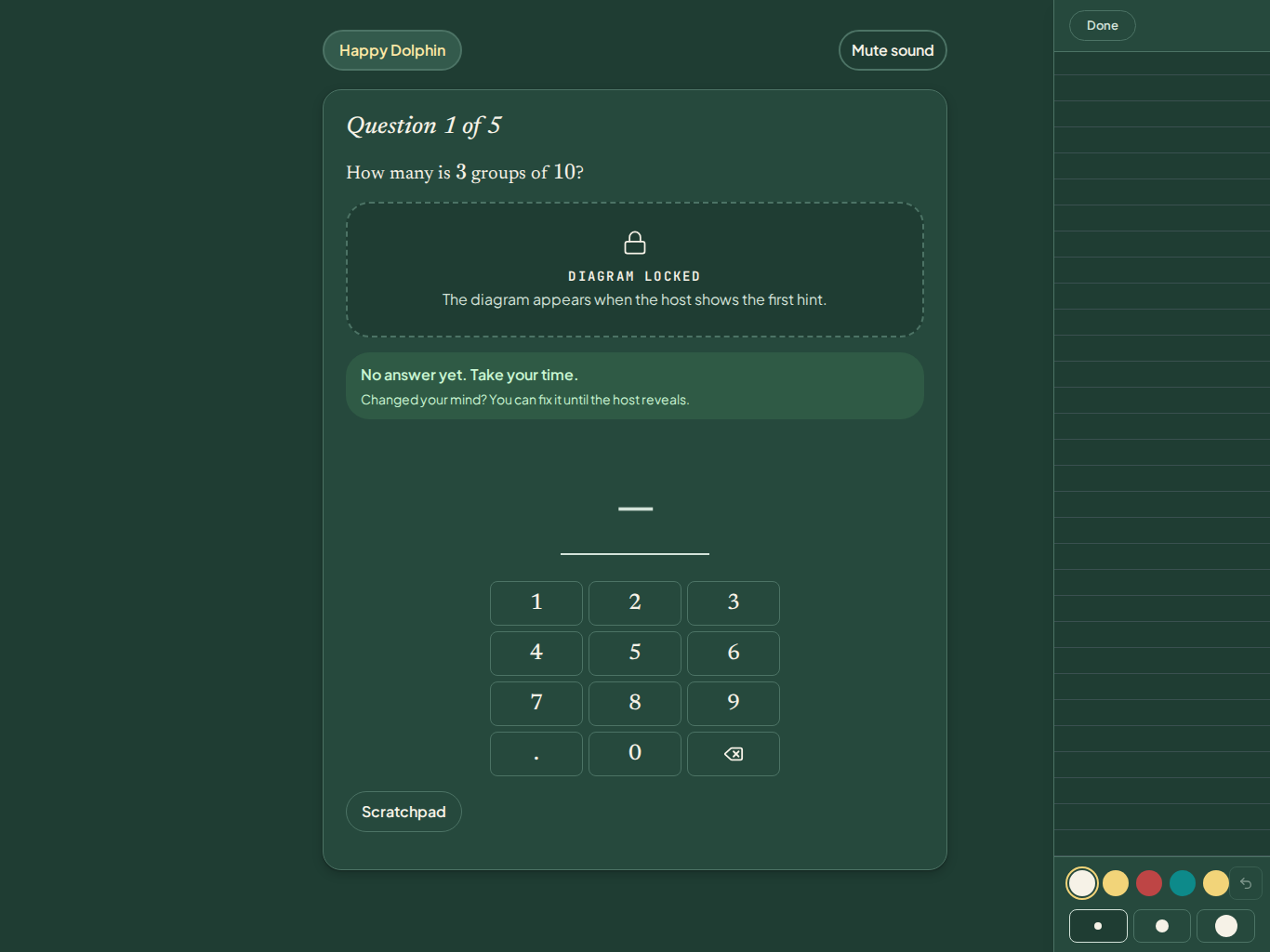
- A tablet as the player's screen. Hand your child or student a tablet. The question, any diagram and the hints appear there, with an on-screen keypad for typed answers and a Scratchpad for working. The Scratchpad clears for each question, and nothing on it is saved or sent.
- Or the question on the TV. Put the room on a TV or laptop and let them answer on a phone, so you both look at the same big question.
- Run it from the screen. If you pair the TV with your phone, the TV gets its own buttons, such as Reveal, Next question and Play again, with Show hint and Skip under More. They work with a keyboard or a TV remote.
One-on-one, the reveal becomes a conversation for two. With no audience and no clock, a hesitant child can take their time, and you hear their thinking on every question.
The small touches
Short sound cues play on the big screen and the phones when a player joins, a question opens, an answer is in, and at each reveal and the end of the game. Tap Turn on sound on the TV once to start them, and mute them on the TV or on any player's phone. In the lobby, players can tap Wave at the TV to see their nickname light up on the big screen.
Ready to host?
For the full walkthrough, from creating a room to joining, pairing a TV and closing up, read our step-by-step Party mode guide. Players can also join from the Party page on our website.
Try it free
Want to see the kind of questions your players will meet? Try a free interactive worksheet first, no sign-up or credit card needed.
Try a free sample drill